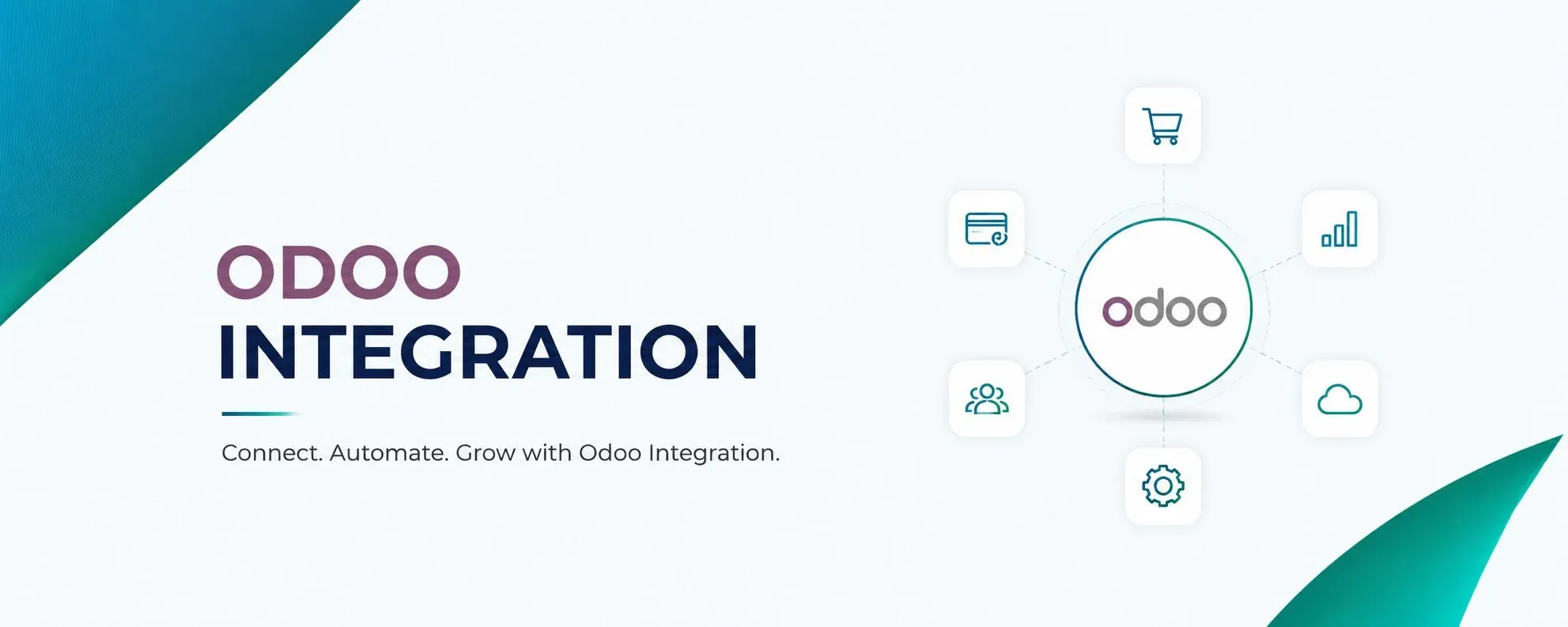
Odoo integration allows businesses to connect Odoo with other software, websites, platforms, and business applications. Instead of keeping information in separate systems, businesses can make these systems communicate and exchange data automatically.
A company may use Odoo for sales, accounting, inventory, CRM, purchasing, or manufacturing while using other platforms for eCommerce, payments, shipping, marketplaces, or customer management. When these systems are not connected, employees often have to enter the same information more than once.
This is where Odoo integration becomes useful. It helps create a connected workflow where information can move between systems with less manual work.
What Is Odoo Integration?
Odoo integration is the process of connecting Odoo with an external application or platform so that selected information can be exchanged between them.
For example, a customer places an order through an online store. Instead of an employee manually creating that order in Odoo, the integration can transfer the order automatically.
The process may look like this:
Customer Order → Online Store → Odoo → Inventory → Invoice → Shipping
The exact flow depends on the business and the systems being connected.
The main purpose of Odoo integration is not simply to connect two applications. It is to make the movement of business information faster, more accurate, and easier to manage.
Why Do Businesses Need Odoo Integration?
Most growing businesses use more than one software system. An online retailer may have an eCommerce platform, payment gateway, shipping application, and Odoo ERP.
If these systems work separately, employees may need to:
- Copy customer information
- Enter orders manually
- Update stock in different systems
- Check payment status
- Download and upload spreadsheets
- Update shipping information
This creates extra work and increases the chance of mistakes.
With Odoo integration, these systems can exchange important information automatically. This can help employees spend less time moving data and more time managing actual business activities.
How Does Odoo Integration Work?
The basic idea behind Odoo integration is data exchange.
One application sends information, Odoo receives and processes it, and Odoo can send information back when required.
For example, an eCommerce integration may work like this:
- A customer places an order.
- The eCommerce platform sends the order to Odoo.
- Odoo checks the customer and product information.
- A sales order is created.
- Inventory is updated.
- Payment information is recorded.
- Delivery information is sent to the shipping system.
Some integrations work in real time, while others synchronize information at scheduled intervals.
Common Types of Odoo Integration
Different businesses have different integration requirements. Some of the most common types are explained below.
Odoo eCommerce Integration
eCommerce integration connects an online store with Odoo.
Depending on the setup, information such as products, customers, orders, prices, inventory, payments, and order status can be synchronized.
For businesses handling many online orders, this can reduce manual order entry and make inventory management easier.
Odoo Payment Integration
Payment integration connects Odoo with online payment services.
When a customer completes a payment, transaction details can be transferred to Odoo. This can help businesses connect payments with orders and accounting records.
It also reduces the need for employees to manually check and match every online transaction.
Odoo Shipping Integration
Shipping integration connects Odoo with courier, logistics, or delivery platforms.
Information such as delivery address, package details, tracking number, shipping charges, and delivery status can move between the systems.
For businesses handling a large number of deliveries, this can make order fulfilment much easier to manage.
Odoo Marketplace Integration
Businesses selling through multiple marketplaces can connect those platforms with Odoo.
Orders, customers, products, prices, inventory, and order status can be synchronized based on the integration requirements.
This gives businesses a more centralised way to manage orders from different sales channels.
Odoo CRM Integration
CRM integration allows Odoo to exchange customer and sales information with another CRM or customer platform.
Leads, contacts, customer details, and sales information can be synchronized depending on the workflow.
This can be useful for companies that already have a CRM system but want important customer information available in Odoo.
Odoo Accounting Integration
Accounting integration connects Odoo with another financial or accounting application.
Depending on the requirement, information such as invoices, payments, customers, vendors, and transactions can be exchanged.
This can reduce duplicate financial data entry and make financial information easier to manage.
Odoo API Integration
Odoo API integration is one of the common ways to connect Odoo with external applications.
An API, or Application Programming Interface, allows two software systems to communicate.
For example, an external website can send customer and order information to Odoo through an API. Odoo can process that information and return information such as order status or inventory availability.
APIs are especially useful when a business needs to connect Odoo with:
- Custom websites
- Mobile applications
- Marketplaces
- Payment systems
- Logistics platforms
- Customer portals
- Custom business software
The API method used depends on the external application's capabilities and the Odoo setup.
Real-Time vs Scheduled Integration
Not every Odoo integration needs to update information immediately.
Real-Time Integration
Information is transferred as soon as an event happens.
For example:
Customer places order → Order immediately reaches Odoo
This is useful for orders, payments, stock updates, and other information that needs to be current.
Scheduled Integration
Information is transferred at fixed intervals.
For example:
Every 30 minutes → Synchronize new orders
Scheduled synchronization can be suitable when immediate updates are not necessary.
The right option depends on how the business operates and how quickly information needs to be available.
What Is Data Synchronization in Odoo Integration?
Data synchronization means keeping information consistent between connected systems.
Imagine an online store has 50 units of a product. Odoo also shows 50 units.
After a customer purchases 5 units, the systems should update the available quantity to 45.
If the website still shows 50 while Odoo shows 45, the business may accidentally accept an order for stock that is not available.
This is why inventory synchronization is an important part of many Odoo integration projects.
One-Way and Two-Way Odoo Integration
An integration can be one-way or two-way.
One-Way Integration
Information moves in one direction.
Website → Odoo
For example, an online store sends new orders to Odoo.
Two-Way Integration
Information moves in both directions.
Website ↔ Odoo
The website can send orders to Odoo, while Odoo can send stock levels or order status back to the website.
Two-way integration can provide better synchronization, but it also requires clear rules about which system controls each type of data.
Odoo Integration With Custom Applications
Not every business uses software that has a ready-made Odoo connector.
Some companies have custom websites, mobile apps, warehouse systems, booking applications, or internal software.
In such cases, Odoo integration can be developed using APIs, webhooks, middleware, or other suitable technologies.
For example, a company may have a custom customer portal where customers can check their orders. The portal can connect with Odoo to retrieve order status, invoices, or other permitted information.
This allows the company to continue using its existing application while keeping Odoo as part of the central business workflow.
Benefits of Odoo Integration
A properly planned Odoo integration can provide several practical benefits.
Reduces Manual Work
Employees do not need to repeatedly enter the same information into different systems.
Improves Data Accuracy
Automated data transfer can reduce errors caused by manual entry.
Speeds Up Business Processes
Orders, payments, inventory information, and other data can move between systems faster.
Improves Inventory Management
Connected sales channels can receive updated stock information from Odoo.
Creates Better Visibility
Teams can access important business information without constantly checking different systems.
Supports Business Growth
As transaction volumes increase, automation can help businesses manage more activity without increasing repetitive manual work at the same rate.
Common Odoo Integration Challenges
Integration can make business processes easier, but it needs proper planning.
Some common challenges include:
Different Data Formats
Two systems may store the same information differently. Data mapping is needed to make sure the information is transferred correctly.
Duplicate Records
Poor synchronization rules can create duplicate customers, products, or orders.
API Restrictions
Some third-party platforms have API limits or restrictions that affect how frequently information can be exchanged.
Failed Synchronization
Network issues, incorrect information, expired authentication, or API changes can cause transactions to fail.
Security
Business information such as customer details, payments, employee data, and financial records must be transferred securely.
What Is Data Mapping?
Data mapping is an important part of Odoo integration.
Different systems may use different names for similar information.
For example:
| Odoo | External System |
|---|---|
| Customer | Customer Account |
| Product Code | SKU |
| Sales Order | Order ID |
| Quantity | Item Quantity |
| Delivery | Shipment |
| Invoice | Billing Document |
Before development starts, these fields need to be mapped correctly.
Good data mapping helps prevent missing information, incorrect records, and synchronization problems.
What Should You Check Before Odoo Integration?
Before starting an Odoo integration project, it is useful to understand the complete data flow.
Ask:
- Which systems need to be connected?
- What information needs to be exchanged?
- Which system should be the main source of each type of data?
- Should synchronization be real-time or scheduled?
- Does the external system provide an API?
- How will failed transactions be handled?
- How will duplicate records be prevented?
- What security requirements need to be followed?
Answering these questions early can make the integration process much smoother.
Is Odoo Integration Necessary for Every Business?
Not every business needs multiple integrations.
A small company that manages most of its activities directly inside Odoo may not need additional connections.
However, Odoo integration becomes more useful when a business:
- Uses several software applications
- Receives many online orders
- Sells through multiple marketplaces
- Uses external payment systems
- Works with shipping providers
- Has a custom website or application
- Re-enters the same data regularly
- Needs information to move between systems quickly
The purpose should always be to solve a real business problem rather than adding integration simply because it is available.
Odoo Integration vs Odoo Customization
These two terms are sometimes confused.
Odoo integration connects Odoo with another application.
Odoo customization changes or extends Odoo itself.
For example:
Connecting Odoo with an eCommerce website → Odoo Integration
Adding a new field or modifying an Odoo workflow → Odoo Customization
Some projects may require both.
How Much Does Odoo Integration Cost?
There is no fixed price for Odoo integration because every project is different.
The cost can depend on:
- Number of systems
- Number of integration points
- Amount of data
- API availability
- Real-time requirements
- Two-way synchronization
- Custom workflows
- Testing requirements
- Security requirements
- Ongoing maintenance
A simple connection between two systems can be relatively straightforward, while an integration involving multiple platforms and complex business rules can require much more work.
Odoo Integration Best Practices
A few simple practices can make an integration more reliable.
Understand the business process first. Know what problem the integration needs to solve.
Define the data clearly. Decide what information needs to move and where it should go.
Choose a source of truth. For example, Odoo may be the main source for product and inventory information.
Plan for errors. Failed transactions should be logged and easy to identify.
Test different situations. Testing should include normal transactions as well as cancelled orders, missing information, duplicate records, and failed payments where applicable.
Monitor the integration. An integration may work correctly today but require updates when an external platform changes its API.
Ready to Transform Your Business?
Talk to Lenok Infotech today to discover the right IT, ERP, cloud, and digital solutions for your business. Get expert guidance tailored to your goals and take the next step with confidence.
Frequently Asked Questions About Odoo Integration
1. What can Odoo integrate with?
Odoo can integrate with eCommerce platforms, CRM systems, accounting software, payment gateways, shipping services, marketplaces, and custom applications.
2. How does Odoo integration improve business operations?
Odoo integration connects different systems, reduces manual data entry, keeps information synchronized, and helps automate repetitive business workflows.
3. Which APIs are used for Odoo integration?
Odoo integrations can use APIs such as REST, XML-RPC, JSON-RPC, and other suitable connection methods depending on the systems involved.
4. Can Odoo integration synchronize inventory?
Yes. Odoo can synchronize inventory data with connected eCommerce platforms and other sales channels, helping businesses maintain more consistent stock information.
5. Can Odoo connect with multiple external systems?
Yes. Odoo can connect with multiple external systems, allowing businesses to create a connected workflow across sales, finance, inventory, payments, shipping, and customer management.