
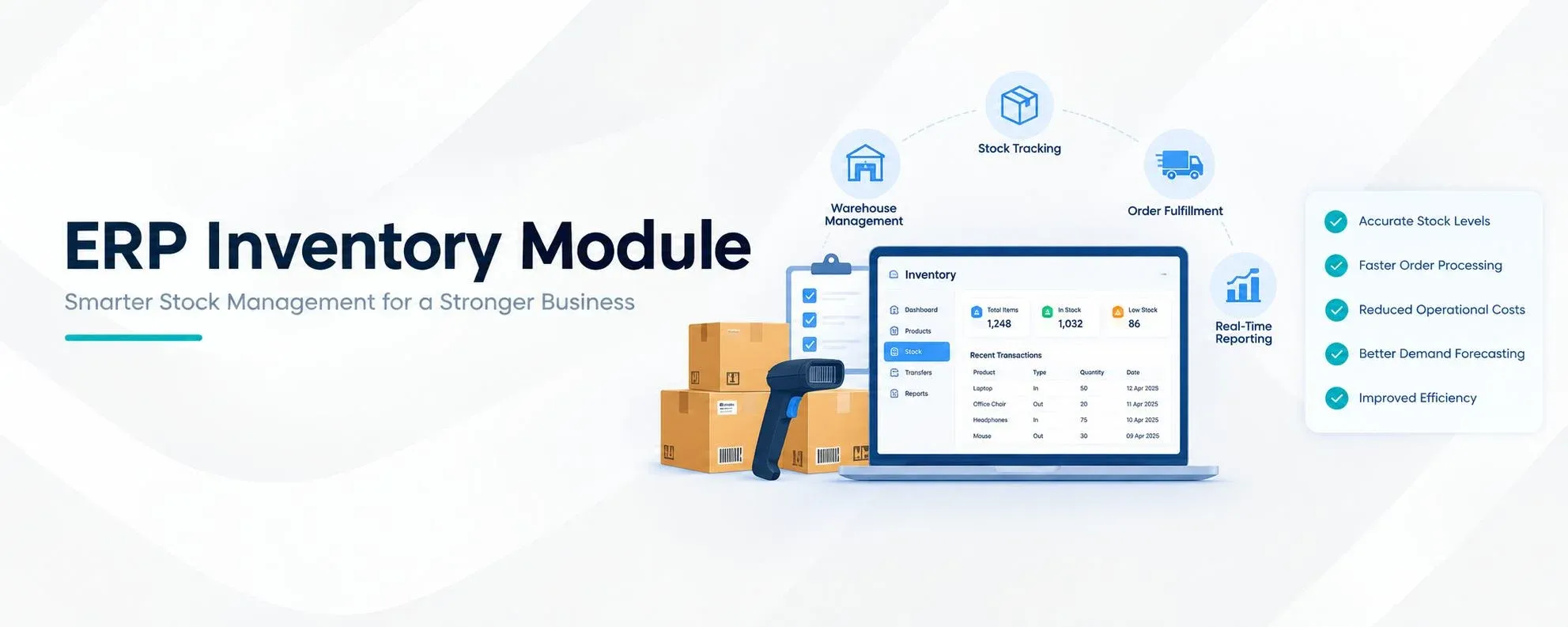
The ERP inventory module is a core part of an ERP system because it controls how products are received, stored, moved, reserved, delivered, and tracked. For businesses handling a large number of products, managing inventory manually can create problems with stock accuracy, warehouse control, product movement, and replenishment. An ERP inventory module brings these activities into one connected system.
Odoo provides a powerful ERP inventory module through its Inventory application. The Odoo ERP inventory module can manage warehouses, storage locations, receipts, deliveries, internal transfers, inventory adjustments, replenishment, routes, lots, serial numbers, barcodes, and inventory valuation. It can also connect inventory operations with sales, purchase, manufacturing, accounting, and other Odoo applications.
The main purpose of an ERP inventory module is not only to show how many products are available. It also helps businesses understand where products are located, what quantity is reserved, what stock is coming in, what stock is going out, and when new products need to be purchased or produced.
Odoo ERP Inventory Module
The Odoo ERP inventory module is designed for businesses that need more control over stock and warehouse operations. It supports basic inventory management as well as advanced warehouse processes. Businesses can configure the ERP inventory module according to their warehouse structure, product types, supply chain process, and operational requirements.
The Odoo ERP inventory module uses products, warehouses, locations, transfers, routes, stock moves, replenishment rules, and tracking settings to manage inventory. This makes it possible to create different inventory workflows for different products and warehouses.
For example, a company can configure a simple process for standard products while using multi-step receiving, quality checks, barcode scanning, and lot tracking for products that require additional control.
Product Management in the ERP Inventory Module
Product management is one of the main functions of the ERP inventory module. Odoo allows users to maintain product information such as product type, product category, unit of measure, barcode, sales details, purchase details, inventory settings, routes, packaging, and tracking options.
The ERP inventory module can also provide information about product quantities. Users can check the quantity on hand, reserved quantity, incoming quantity, outgoing quantity, and forecasted quantity. This gives inventory teams a better view of product availability.
For example, if a product has 500 units physically available but 150 units are already reserved for customer orders, the ERP inventory module can help users understand that not all 500 units are freely available for new orders.
Warehouse Management in the ERP Inventory Module
Warehouse management is an important function of the ERP inventory module. Odoo allows businesses to create warehouses and organize each warehouse using internal locations. Locations can represent different physical areas inside a warehouse.
A warehouse can have locations such as:
- ➜ WH/Input → WH/Stock → WH/Packing → WH/Output
The ERP inventory module uses these locations to control product movement. A product can first arrive at an input location, move to the main stock location, move to a packing area, and finally reach the output location before shipment.
This location structure gives the ERP inventory module more control than a simple stock register because users can identify where products are stored during different stages of warehouse operations.
Receipts and Incoming Stock
The ERP inventory module manages products entering a business from suppliers. When a purchase order is confirmed in Odoo, an incoming inventory operation can be created based on the warehouse configuration. The warehouse team can then process the receipt when the products arrive.
Odoo can support different receiving workflows. A business can use a simple one-step receipt when products can move directly into stock. A business with stricter warehouse controls can configure multiple steps for receiving, checking, and storing products.
The ERP inventory module records the received quantity and updates stock after the relevant operation is validated. This creates a connection between purchasing and inventory.
Delivery Management in the ERP Inventory Module
The ERP inventory module also manages products that leave the warehouse. When a customer order is confirmed, Odoo can generate the related delivery operation. The warehouse team can then pick, prepare, and deliver the products.
The delivery flow can be represented as:
- ➜ Sales Order → Delivery Order → Picking → Customer
The ERP inventory module can reserve products based on availability and the configured operation rules. After the delivery is validated, the stock movement is completed and the available quantity is updated.
This connection between sales and the ERP inventory module helps businesses maintain accurate inventory records while processing customer orders.
Internal Transfers Using the ERP Inventory Module
Products often need to move between different storage locations. They may also need to move between branches or warehouses. The ERP inventory module records these internal transfers and maintains the movement history.
For example, a business may transfer 100 units from Warehouse A to Warehouse B. The ERP inventory module can record the source warehouse, destination warehouse, product, quantity, and transfer operation.
Internal transfers are useful for companies with multiple warehouses, retail branches, distribution centers, or production facilities. Instead of manually changing stock numbers, the ERP inventory module records the movement between locations.
Lots and Serial Numbers in the ERP Inventory Module
Product traceability is another important function of the ERP inventory module. Odoo allows businesses to track products using lot numbers and serial numbers.
A lot number can identify a group or batch of products, while a serial number can identify an individual product. The ERP inventory module can record where tracked products were received, where they were stored, and where they were delivered.
This is useful for industries such as electronics, pharmaceuticals, food processing, automotive, medical equipment, and manufacturing.
For example, if a company receives a batch of products with a specific lot number, the ERP inventory module can maintain the movement history of that lot through different inventory operations.
Barcode Management in the ERP Inventory Module
Barcode scanning can make warehouse operations faster and reduce manual data entry. The Odoo ERP inventory module supports barcode-based inventory operations where warehouse employees can scan products and locations during different processes.
A warehouse employee can scan a product barcode during receiving, picking, delivery, or internal transfer. The ERP inventory module can identify the product and update the related inventory operation.
Barcode operations are especially useful when a warehouse handles many products every day. Instead of manually searching for products and entering quantities, employees can use scanning to process inventory operations more efficiently.
Reordering Rules in the ERP Inventory Module
Maintaining the right amount of stock is one of the main purposes of an ERP inventory module. If inventory becomes too low, the business may not be able to fulfill customer orders. If inventory becomes too high, the company may spend more on storage and working capital.
The Odoo ERP inventory module provides replenishment and reordering functionality. Businesses can define minimum and maximum stock levels for products. When inventory reaches the defined threshold, the system can identify that additional stock may be required.
For example, a company can configure a minimum quantity of 20 units and a maximum quantity of 100 units. When available stock falls below the configured level, the ERP inventory module can generate a replenishment requirement according to the configured procurement process.
Inventory Routes in Odoo ERP
Inventory routes define how products should move through the supply chain. The ERP inventory module can use routes to control different product flows.
A standard product may follow:
- ➜ Vendor → Warehouse → Customer
A manufacturing product may follow:
- ➜ Vendor → Raw Material Stock → Production → Finished Goods → Customer
A dropship product may follow a different flow where the supplier ships directly to the customer.
The ERP inventory module allows these different routes to be configured according to business requirements. This is useful when a company sells different types of products that require different procurement and delivery methods.
Inventory Adjustments in the ERP Inventory Module
Physical inventory and system inventory may not always match. Products can be damaged, lost, misplaced, incorrectly received, or entered with the wrong quantity. The ERP inventory module provides inventory adjustment functions to correct these differences.
For example, the system may show 500 units while a physical stock count finds only 493 units. The inventory team can record the actual quantity through an inventory adjustment.
The ERP inventory module therefore helps maintain better stock accuracy while keeping a record of inventory corrections. Regular stock counts and cycle counts can also help businesses identify inventory differences earlier.
Inventory Valuation in the ERP Inventory Module
Inventory has a financial value as well as a physical quantity. The ERP inventory module can connect inventory operations with accounting to help businesses manage inventory valuation.
Depending on the configuration, Odoo can use inventory valuation methods and automated valuation processes. When products enter or leave inventory, the related financial impact can be connected with accounting.
This makes the ERP inventory module useful for businesses that need both operational inventory information and financial visibility.
The basic connection can be viewed as:
- ➜ Stock Movement → Inventory Value → Accounting
This connection reduces the need to maintain separate inventory and financial records.
Scrap Management in the ERP Inventory Module
Not every product can be sold or used. Products may become damaged, expired, defective, or obsolete. The ERP inventory module provides a scrap process for removing unusable products from available stock.
When a product is scrapped, Odoo records the operation and moves the product to a scrap location. This is better than simply deleting the quantity from the system because the business can maintain a transaction history.
The ERP inventory module can therefore help businesses understand why inventory quantities have changed and how much stock has been removed due to damage or other reasons.
ERP Inventory Module for Multiple Warehouses
Businesses operating multiple warehouses need centralized inventory control. The Odoo ERP inventory module allows multiple warehouses and locations to be managed from the same ERP environment.
For example, a company can have separate warehouses in Dubai, Abu Dhabi, and Sharjah. Each warehouse can have its own internal locations and inventory operations. Stock transfers can be created between warehouses when products need to be moved.
The ERP inventory module gives management a centralized view while allowing warehouse teams to process operations for their respective locations.
This is particularly useful for distributors, retailers, manufacturers, and businesses operating across different regions.
ERP Inventory Module for Manufacturing
Manufacturing businesses require close coordination between inventory and production. Raw materials must be available before production begins, while finished products must be added to stock after manufacturing is completed.
The Odoo ERP inventory module can work with the Manufacturing application to support this process. Raw materials can move from warehouse stock to production, while finished products can move from production back into inventory.
A typical manufacturing inventory flow is:
- ➜ Purchase Raw Materials → Receive → Store → Production → Finished Goods → Warehouse
The ERP inventory module helps track these stock movements and gives users better visibility into raw material and finished product quantities.
ERP Inventory Module for Sales
The connection between sales and the ERP inventory module is important for order fulfillment. When a customer places an order, the sales process can create an inventory delivery requirement.
The ERP inventory module can show whether the required products are available and whether stock has already been reserved for another order. Once the products are picked and delivered, the inventory quantity is updated.
This allows sales and warehouse teams to work with the same inventory information instead of maintaining separate stock records.
ERP Inventory Module for Purchase Management
Purchase management and the ERP inventory module work together to maintain stock availability. When products reach their replenishment level, the system can identify the need for additional supply.
Depending on the configuration, the replenishment process can result in a purchase requirement. After the supplier delivers the products, the incoming receipt is processed through the ERP inventory module.
This creates a connected purchasing flow:
- ➜ Stock Requirement → Purchase → Receipt → Inventory
The purchasing team can therefore make decisions based on actual inventory requirements rather than manually checking every product.
Inventory Reporting in the ERP Inventory Module
Inventory data becomes more useful when businesses can analyze it through reports. The Odoo ERP inventory module provides inventory information related to stock levels, product movements, locations, replenishment, traceability, and valuation.
Managers can use the ERP inventory module to understand current stock positions, product movements, reserved quantities, forecasted quantities, and inventory value.
These reports can help answer important operational questions such as which products are available, which products are reserved, where products are stored, which items need replenishment, and how inventory is moving through the warehouse.
ERP Inventory Module and Business Integration
One of the strongest features of the Odoo ERP inventory module is its integration with other business applications. Inventory does not need to operate as an isolated system.
The ERP inventory module can work with Sales, Purchase, Accounting, Manufacturing, Quality, Barcode, and other Odoo applications. This creates a connected business process.
For example, a purchase order can create a receipt, the receipt can increase inventory, a sales order can reserve stock, and a delivery can reduce inventory. Accounting can then process the related financial transactions based on the configured setup.
This connected architecture is what makes the ERP inventory module more useful than a basic inventory application.
Benefits of Using an ERP Inventory Module in Odoo
Using an ERP inventory module can improve the way a business manages stock and warehouse operations. Odoo provides centralized inventory information, real-time stock visibility, warehouse location control, product traceability, replenishment tools, barcode support, and integration with other business applications.
The ERP inventory module can also reduce repeated data entry because inventory transactions are connected with sales and purchase processes. Warehouse teams can work from the same system, while managers can access inventory information without waiting for manually prepared reports.
For businesses with multiple products, warehouses, or complex stock movements, the ERP inventory module can provide a more structured way to manage inventory.
Why Choose Odoo for an ERP Inventory Module?
Odoo is suitable for businesses that want an ERP inventory module that can grow with their operations. A company can begin with basic stock management and later configure more advanced features such as multiple warehouses, barcode scanning, product traceability, automated replenishment, inventory routes, and manufacturing integration.
The Odoo ERP inventory module also benefits from the wider Odoo ecosystem. Businesses can connect inventory with sales, purchase, accounting, manufacturing, CRM, quality, and other applications instead of purchasing separate systems for every department.
This makes the ERP inventory module a central part of an integrated ERP environment.
Ready to Transform Your Business?
Talk to Lenok Infotech today to discover the right IT, ERP, cloud, and digital solutions for your business. Get expert guidance tailored to your goals and take the next step with confidence.
Frequently Asked Questions About ERP Inventory Module
1. What is an ERP inventory module?
An ERP inventory module manages products, stock levels, warehouses, transfers, receipts, deliveries, and inventory adjustments in one system.
2. What is an ERP inventory module in Odoo?
The Odoo ERP inventory module manages stock, warehouses, locations, receipts, deliveries, replenishment, barcodes, lots, serial numbers, and inventory valuation.
3. What does an ERP inventory module do?
An ERP inventory module tracks products from purchasing and receiving to storage, internal movement, sales, and final delivery.
4. Why is an ERP inventory module important?
An ERP inventory module gives businesses better stock visibility, reduces manual work, and helps maintain accurate inventory records.
5. Can an ERP inventory module manage multiple warehouses?
Yes. An ERP inventory module can manage multiple warehouses, branches, storage locations, and stock transfers from one system.
6. Does Odoo ERP inventory support barcode scanning?
Yes. The Odoo ERP inventory module supports barcode scanning for receipts, deliveries, transfers, and inventory counting.
7. Can an ERP inventory module track lots and serial numbers?
Yes. The Odoo ERP inventory module supports lot and serial number tracking for product traceability.
8. What are reordering rules in an ERP inventory module?
Reordering rules help an ERP inventory module identify when stock is low and additional products need to be purchased or manufactured.
9. Can an ERP inventory module manage inventory adjustments?
Yes. The ERP inventory module allows users to adjust system stock when physical stock and recorded stock do not match.
10. Does the ERP inventory module support inventory valuation?
Yes. The Odoo ERP inventory module can connect inventory operations with accounting and support inventory valuation.
11. Can an ERP inventory module integrate with sales and purchase?
Yes. An ERP inventory module can connect sales orders, purchase orders, receipts, deliveries, and stock movements.
12. Can Odoo ERP inventory work with manufacturing?
Yes. The Odoo ERP inventory module can connect raw material movements, production operations, and finished-product inventory.
13. What is the difference between inventory software and an ERP inventory module?
Inventory software mainly manages stock, while an ERP inventory module connects inventory with sales, purchasing, accounting, manufacturing, and other business processes.
14. Is Odoo suitable for ERP inventory management?
Yes. Odoo provides an ERP inventory module with warehouse management, stock tracking, replenishment, barcode operations, routes, and product traceability.
15. What are the main benefits of an ERP inventory module?
The main benefits include better stock accuracy, warehouse control, product traceability, automated replenishment, and centralized inventory information.
16. What is the best ERP for inventory management?
The best ERP depends on business requirements. Odoo is a popular option for businesses looking for a flexible ERP inventory module with integrated business applications.